¶ Billing
Labs use credits. Billing Information in the sidebar shows what you have left and what each lab type and lab has used.
¶ Overview
Select Billing Information > Overview.
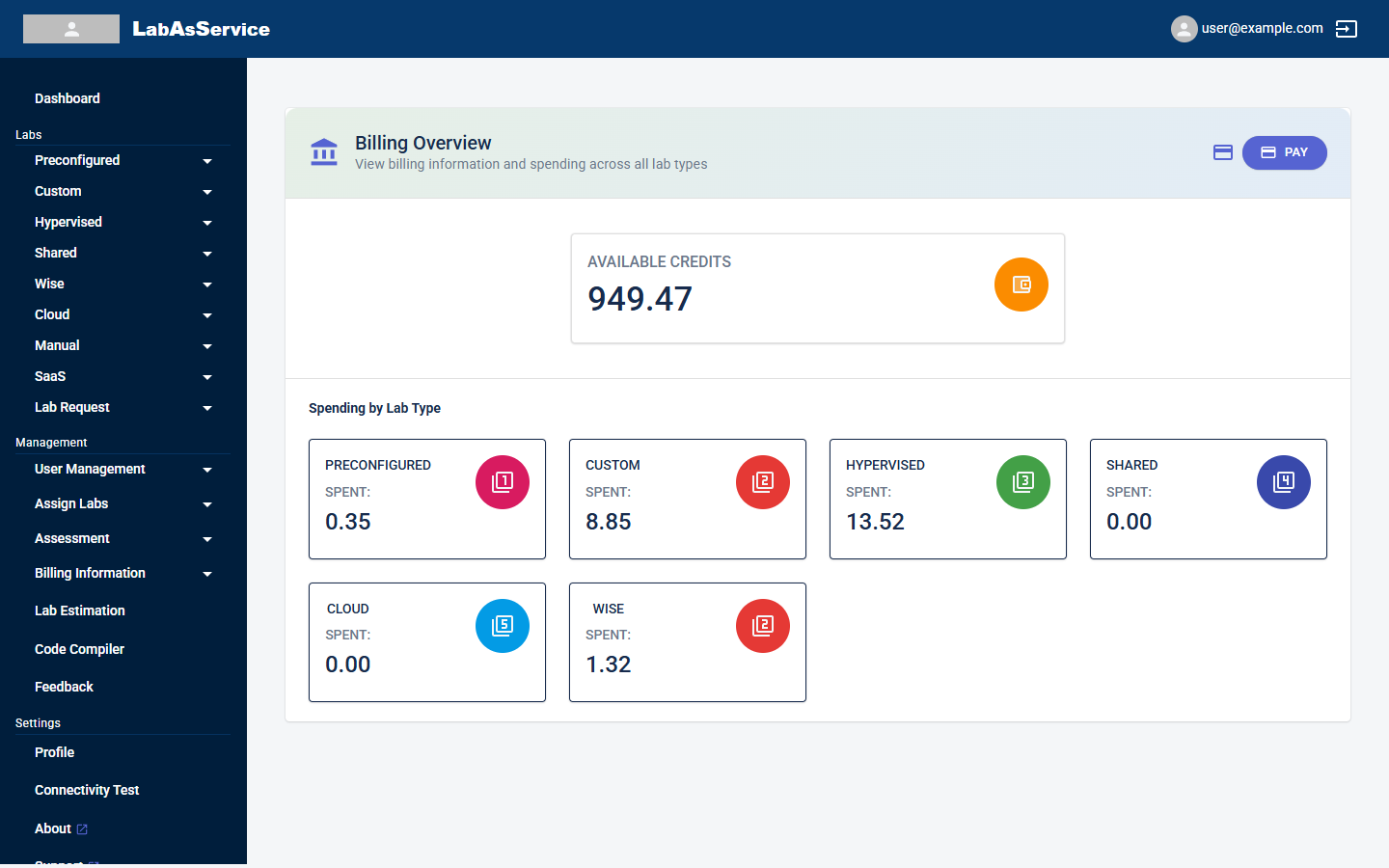
- AVAILABLE CREDITS is the balance you can still spend on labs.
- The PAY button at the top right is for paying for more credits.
- Spending by Lab Type shows how much each type has used under SPENT: Preconfigured, Custom, Hypervised, Shared, Cloud and Wise.
¶ Billing by lab type
Under Billing Information, choose a lab type to see the detail: Preconfigured, Custom, Hypervised, Shared, Cloud or Wise.
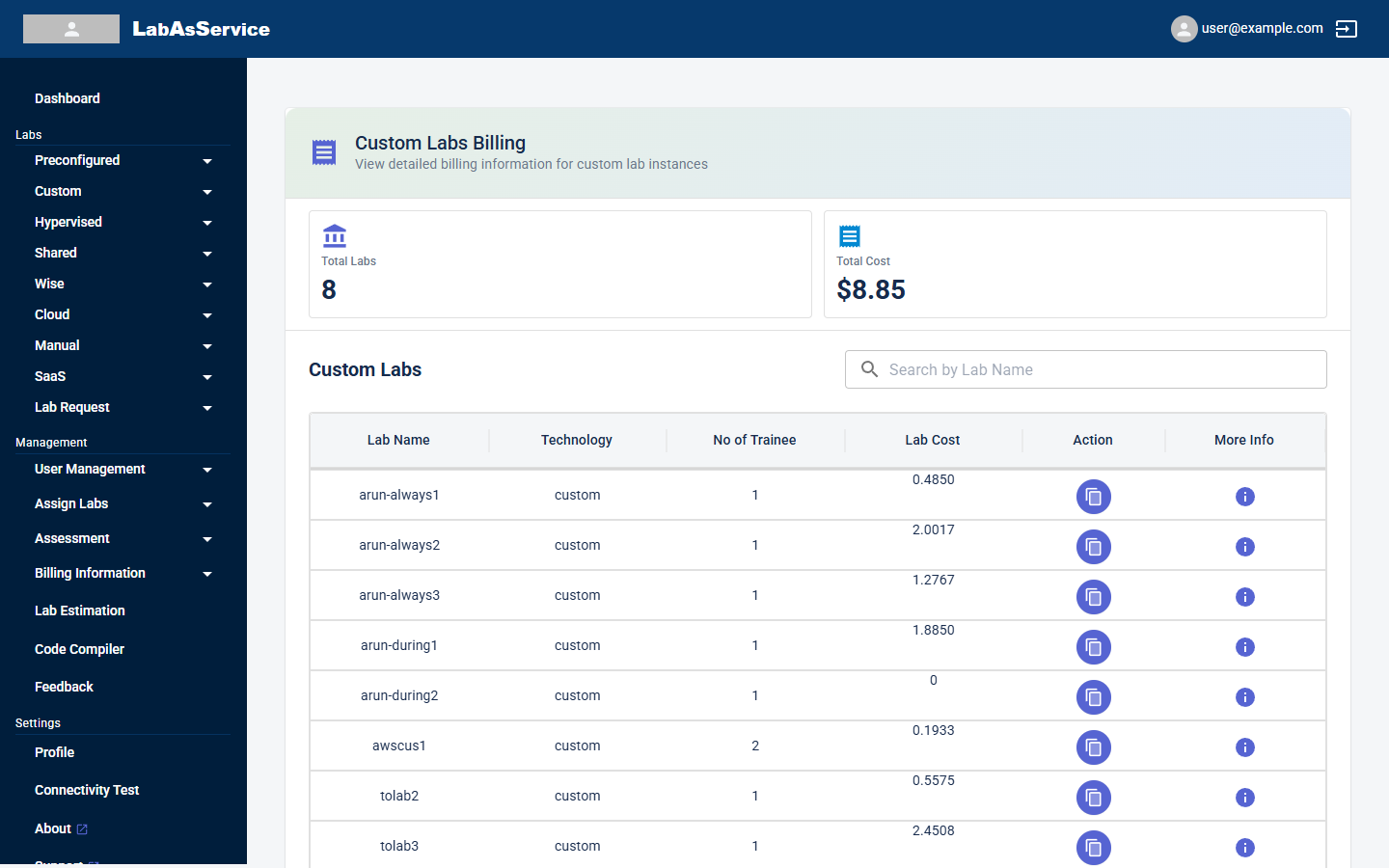
Each page shows:
- Total Labs: how many labs of that type there are
- Total Cost: the total spent on that type
- A table with, for each lab, its Lab Name, Technology, No of Trainee and Lab Cost, plus an Action button and a More Info (i) icon
Use Search by Lab Name to find a lab.
When a type has no billing data yet, for example Cloud labs before any are created, the page shows No Billing Data Available.
¶ Controlling spend
- Set a Budget in the Schedule step when you create a lab. A lab that uses up its budget is cordoned and then terminated. See Creating a lab.
- Use Lab estimation to predict the cost of a lab before you create it.
- Keep an eye on AVAILABLE CREDITS on the dashboard.