¶ Lab estimation
Lab Estimation predicts how many credits a lab will use, so you can plan your budget before you create the lab. It only calculates a figure. It does not create a lab or use any credits.
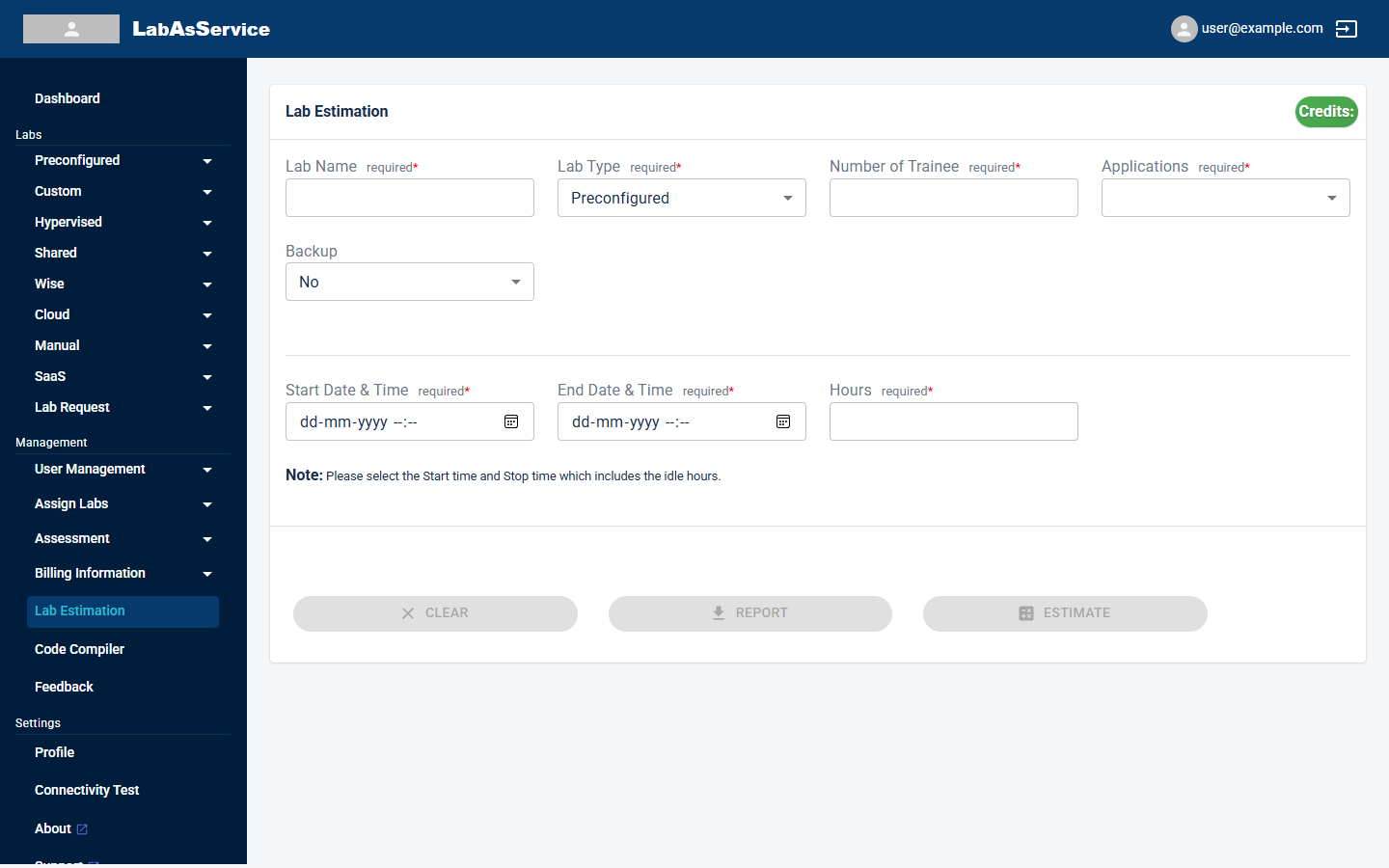
The Credits badge at the top right of the form shows the estimate once you have run one.
¶ Running an estimate
- Select Lab Estimation in the sidebar.
- Fill in the form:
| Field | Required | Notes |
|---|---|---|
| Lab Name | Yes | A name for this estimate, also used as the report name. Use letters and numbers. Other characters, such as hyphens, are removed as you type |
| Lab Type | Yes | Preconfigured, Custom, Hypervised, Wise or Shared |
| Number of Trainee | Yes | How many trainees the lab is for |
| Applications | Yes | The application the lab is built around |
| Backup | No | No or Yes. Choose Yes if you will turn on backup for the lab |
| Start Date & Time | Yes | When the lab is scheduled to start |
| End Date & Time | Yes | When the lab is scheduled to end |
| Hours | Yes | How many hours the lab will actually run. It cannot be more than the maximum shown under the field, which comes from your start and end times |
Choose the start and stop times so that they include idle hours, as the note on the form says.
After you choose an application, the form also shows the recommended server sizes for it, greyed out.
- Select ESTIMATE. The buttons are greyed out until the required fields are filled in.
¶ Reading the result
A Lab Estimation dialog shows the Lab Estimated Credit, as a number of credits.
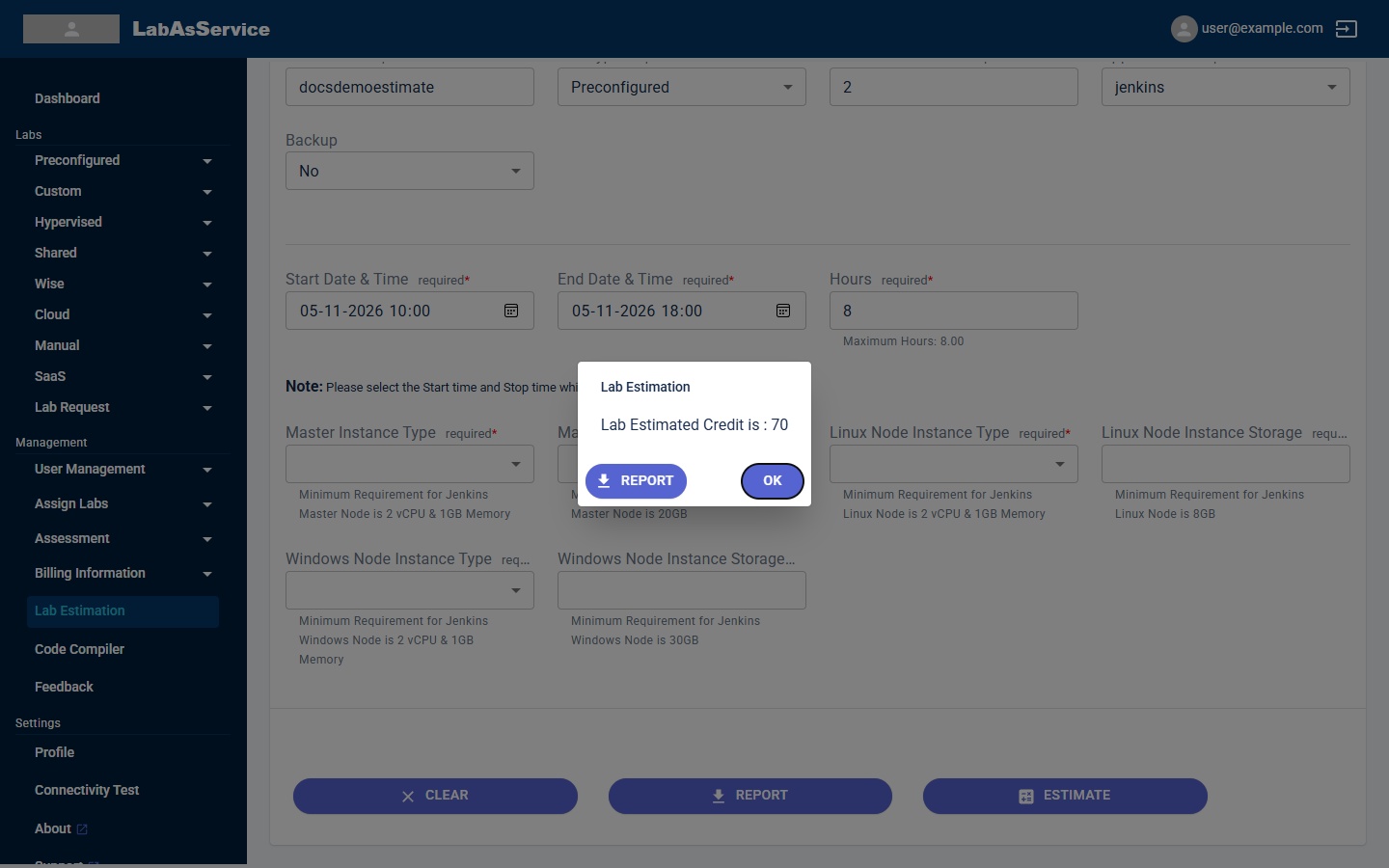
- Select REPORT in the dialog, or at the bottom of the form, to download a report of the estimate.
- Select OK to close the dialog.
- Select CLEAR to empty the form and start again.
¶ Using the estimate
Compare the estimate with your AVAILABLE CREDITS on the dashboard, and use it to set a sensible Budget when you create the lab.