¶ Lab requests, profile and feedback
¶ Requesting a customised lab
If none of the standard lab types fit, use Lab Request in the sidebar to ask for a customised lab. It has two pages: Request and Status.
¶ Request
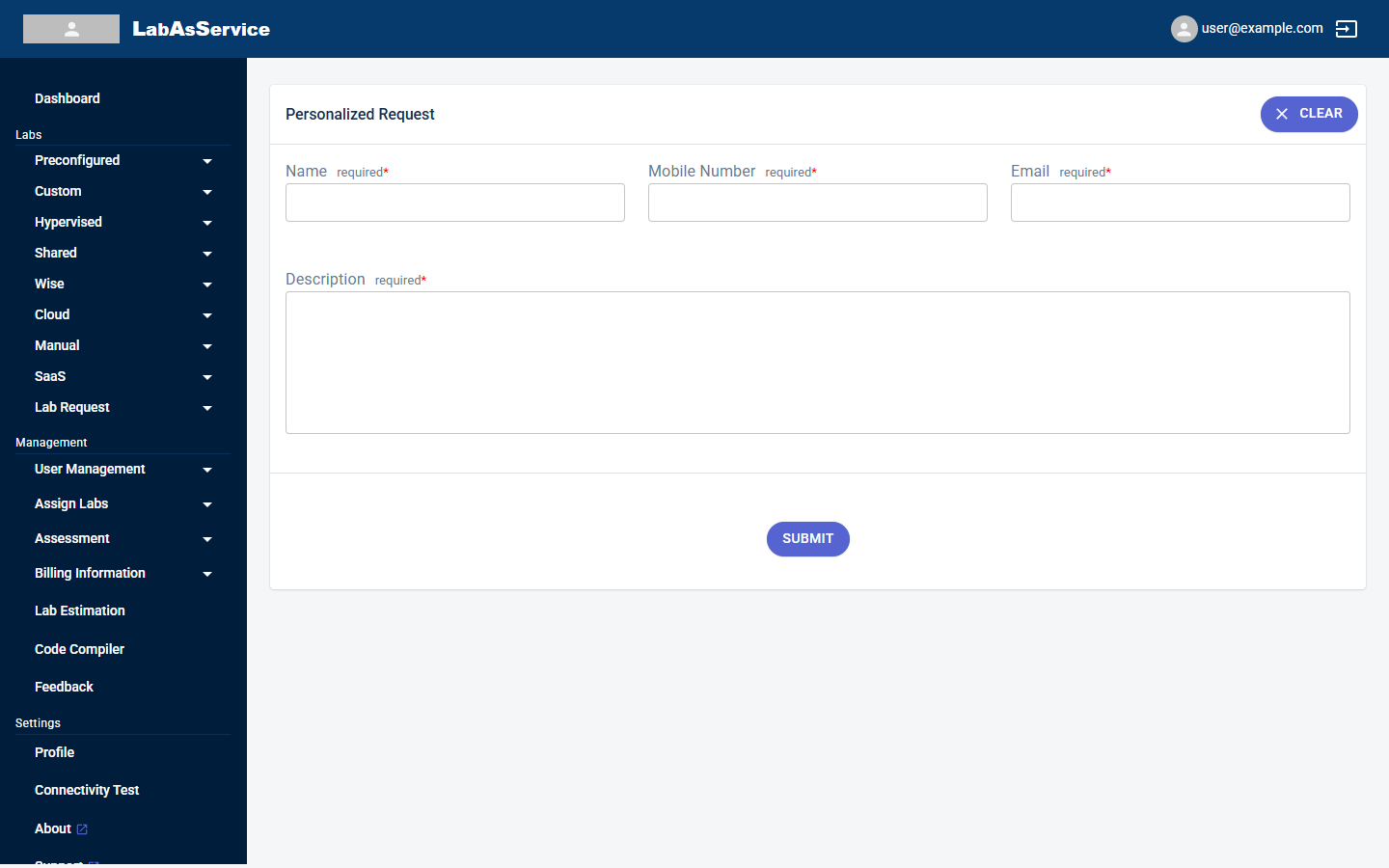
Fill in all four fields, which are required:
| Field | Notes |
|---|---|
| Name | Your name |
| Mobile Number | A number the team can reach you on |
| Your email address | |
| Description | What you need in the lab |
¶ Status
Select Lab Request > Status to follow your requests. The table lists each request's No, Status and Description. When you have not sent any requests, it shows No data available.
¶ Profile
Select Profile under Settings to see and update your account and organisation details.
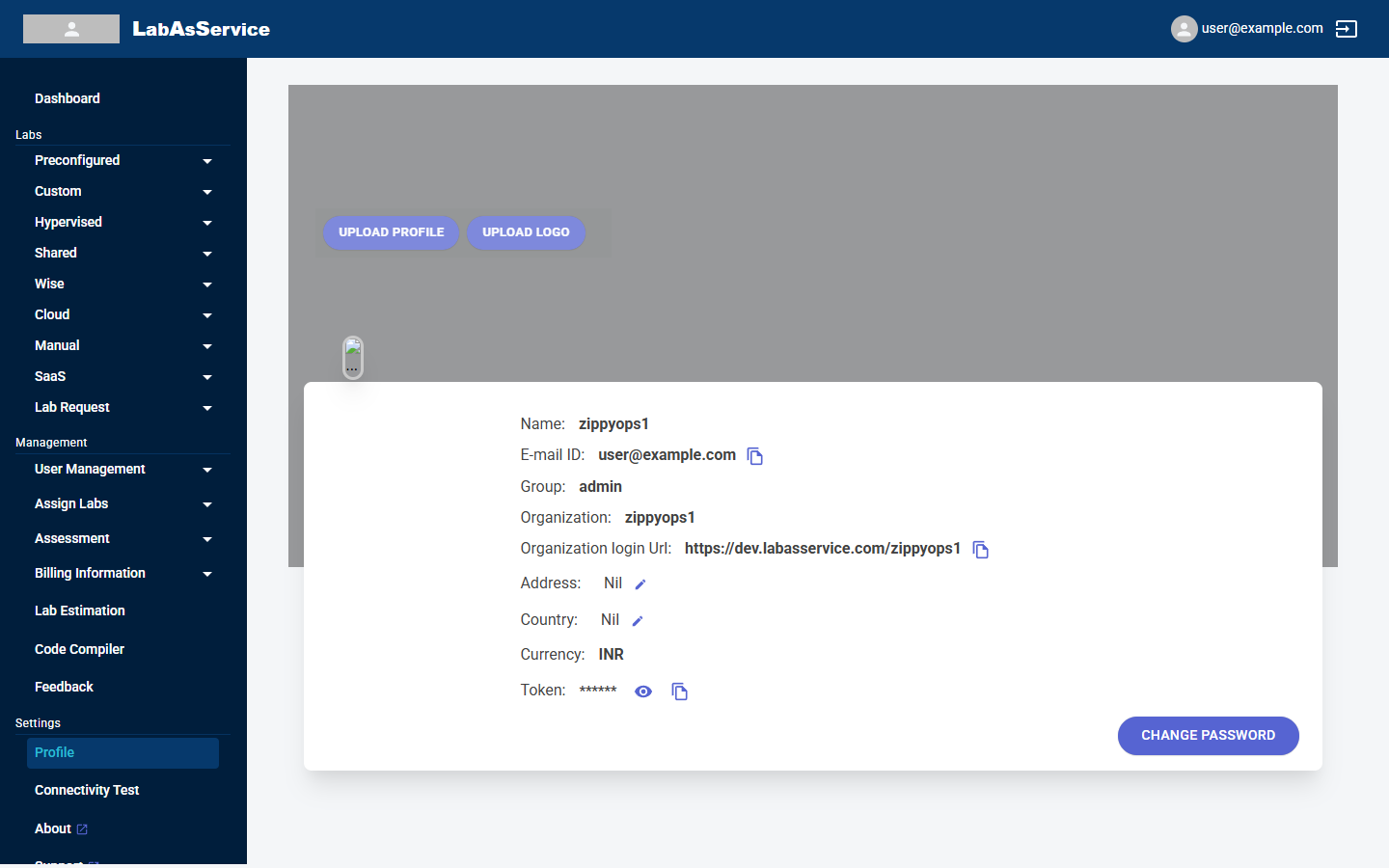
| Item | Notes |
|---|---|
| Name, E-mail ID, Group | Your account details. Use the copy icon to copy the email address |
| Organization | Your organisation's name |
| Organization login Url | The sign-in address for your organisation. Share it with your administrators. Use the copy icon to copy it |
| Address and Country | Use the pencil icon beside each to edit |
| Currency | The currency used for your organisation |
| Token | Hidden by default. Use the eye icon to show it, and the copy icon to copy it. Treat it like a password and do not share it |
The buttons at the top of the page are UPLOAD PROFILE and UPLOAD LOGO, for your picture and your organisation's logo. CHANGE PASSWORD at the bottom right changes your password.
The token is a secret. Never post it in a ticket, a chat or a screenshot.
¶ Feedback
Select Feedback in the sidebar to review the feedback trainees have submitted.
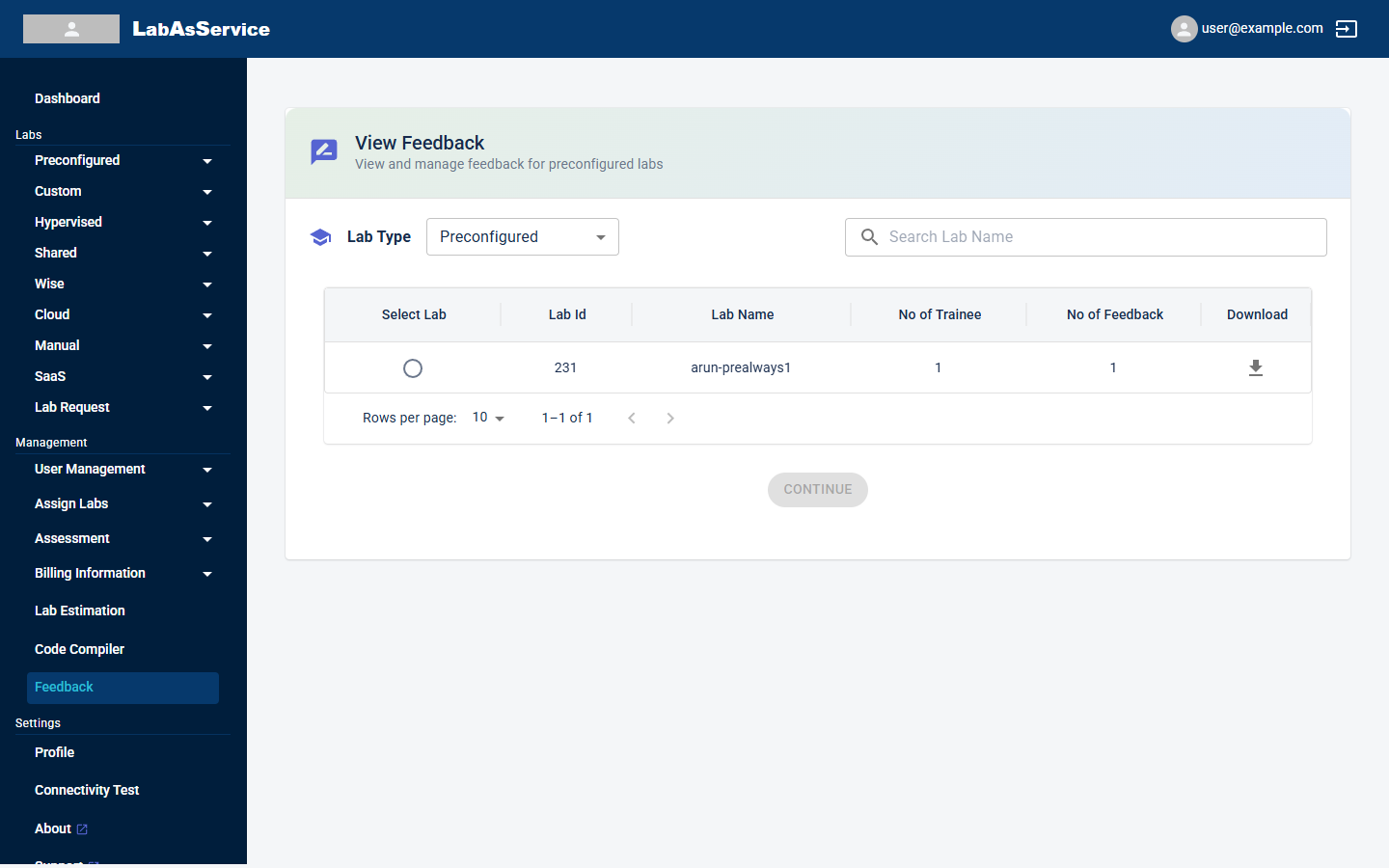
Choose a lab type from the first drop-down, search for a lab with Search Lab Name, and use the rows-per-page drop-down to control the list length. This page works the same way as the trainer's. See Trainer: Feedback.
Trainees only receive feedback requests for labs where feedback was switched on in the Parameters step. See Creating a lab.
¶ Other links in the sidebar
| Link | What it does |
|---|---|
| About | Opens the page that describes the product and the company |
| Support | Opens the support site in a new tab |
| Docs | Opens this documentation in a new tab |
| Connectivity Test | Checks that your browser can reach the platform. See Connectivity and speed test |
| Code Compiler | Runs short programs in your browser. See Code compiler |